Over a multi-phase initiative spanning about 12 months, I served as the design lead and strategic owner for Tinkercad Classrooms, a core workflow supporting teachers using Tinkercad in educational settings.
The work addressed systemic friction in classroom setup, onboarding, and day-to-day management that was limiting teacher confidence and adoption at scale. I led this work end to end, from problem discovery through execution, acting as both design lead and strategic partner to product and engineering. I led teacher research, reframed the problem space, and guided the redesign of foundational classroom flows.
The initiative contributed to +37% year-over-year growth in registered teachers and a +7 point increase in teacher NPS, strengthening Tinkercad’s position as a trusted classroom tool for educators.
Context & problem to solve
Tinkercad’s primary use case is in the classroom. The platform supports approximately 3M registered teachers who manage more than 4.5M monthly active students, making it critical that teacher needs are well supported.
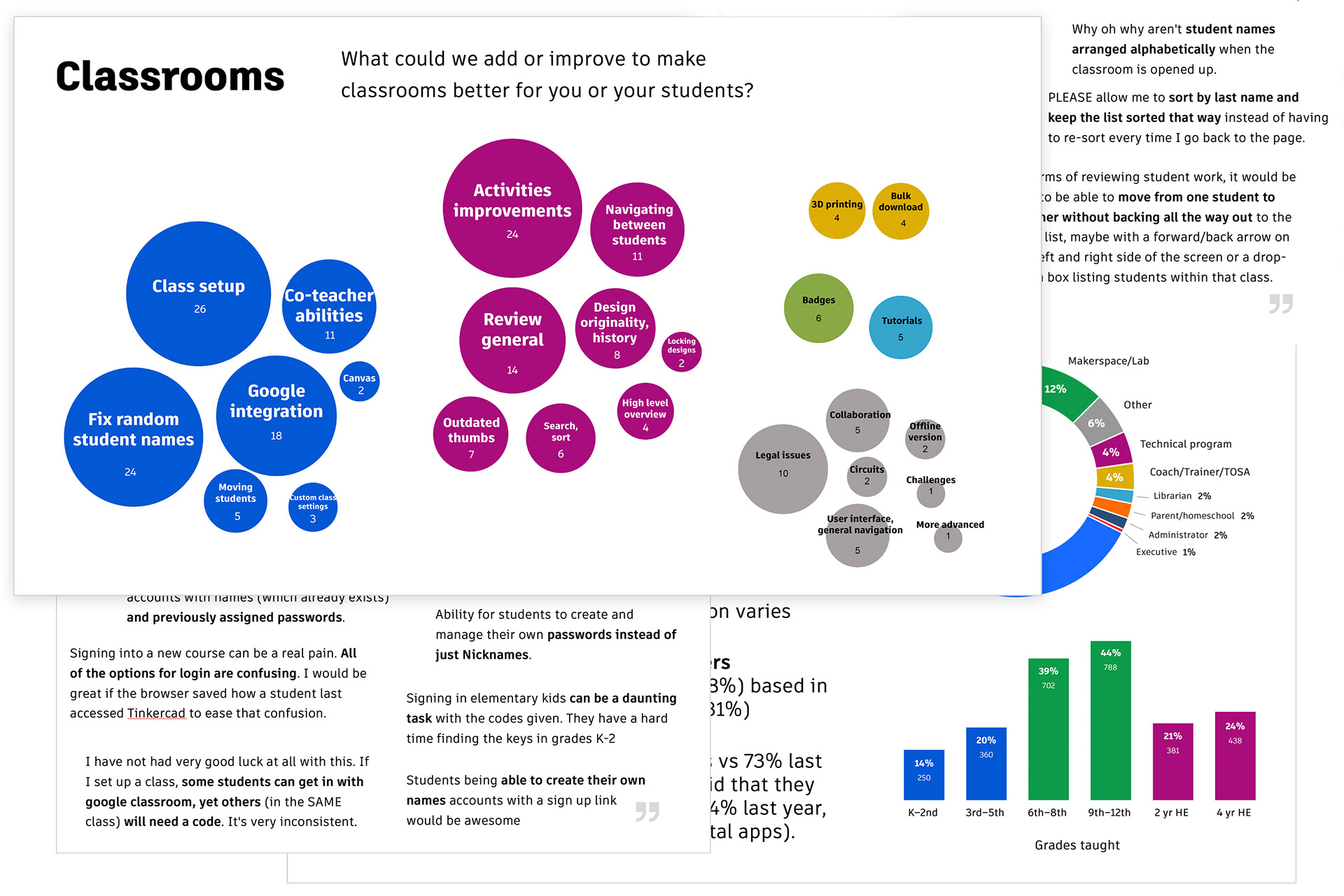
Over time, classroom workflows evolved organically, with teachers piecing together solutions across a patchwork of tools, often under tight time constraints and strict privacy requirements. We heard recurring feedback about classroom usability issues, including friction during onboarding and difficulty managing students at scale. These challenges suggested deeper gaps in how classroom workflows were being supported.
To address this effectively, the team needed a clearer understanding of how teachers actually set up, manage, and adapt their classrooms in practice, and where existing tools were falling short. This set the stage for a deeper discovery effort to clarify the problem space and determine what kind of system would truly support teachers at scale.
Process
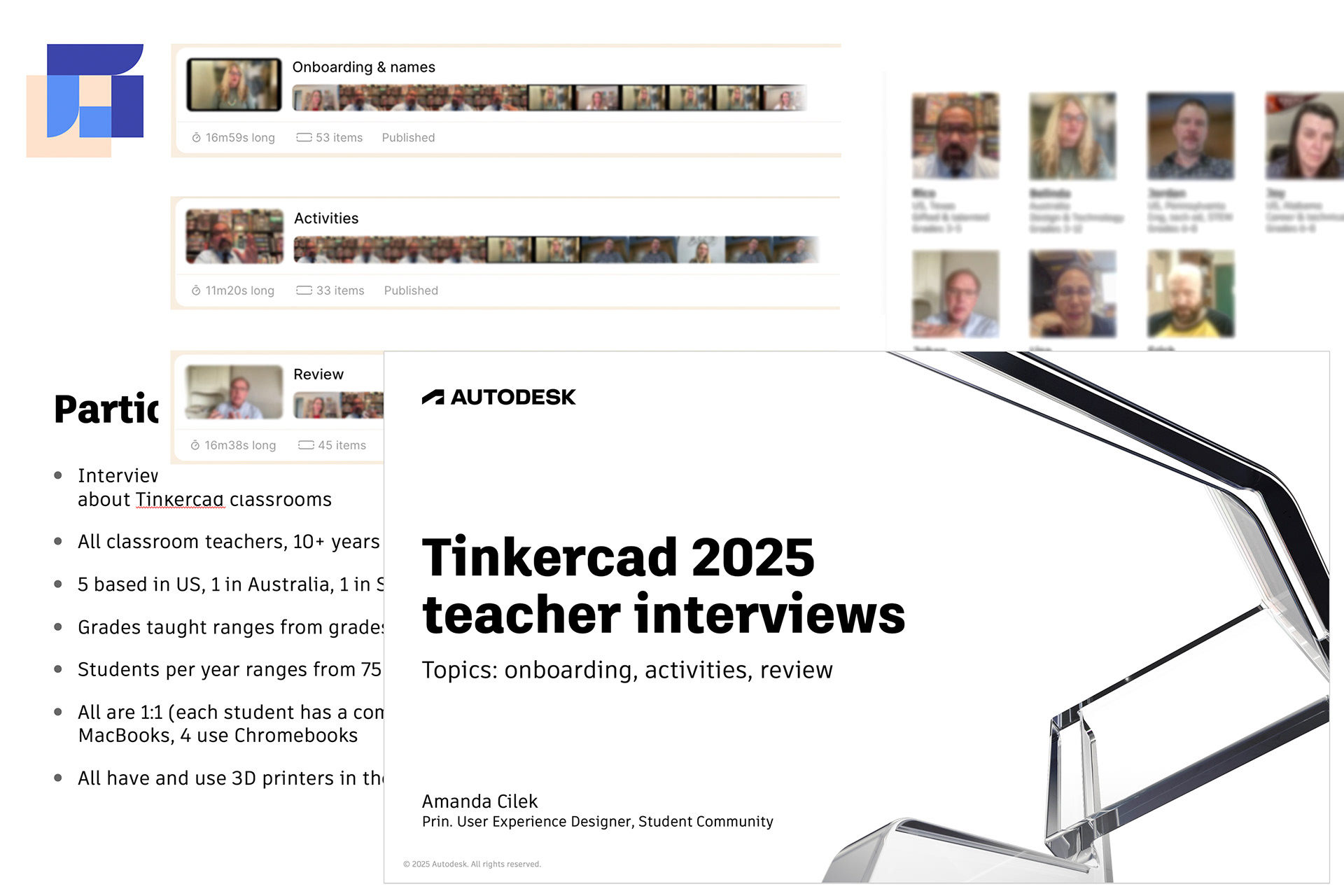
I began by analyzing and synthesizing existing teacher survey data to identify recurring friction points and prioritize areas for deeper exploration. To move beyond surface-level feedback, I planned and led a series of in-depth interviews with experienced educators, focusing on real classroom workflows, constraints, and decision-making in practice.
I summarized research findings into clear themes and presented insights and recommendations to product and design leadership, helping align the team around where change would have the greatest impact. In close partnership with product management and engineering, I helped prioritize the work into phased initiatives that balanced urgency, feasibility, and long-term value.
In parallel, I owned the design execution itself, translating strategy into concrete flows, patterns, and system-level improvements. This end-to-end ownership ensured continuity from insight to implementation and allowed the work to scale across diverse classroom contexts.
Key insights
• Flexibility is not optional
Teachers’ needs vary by district, subject, age group, and personal teaching style. A single correct workflow does not exist. We need to support multiple valid paths without forcing configuration overhead.
• Teachers need clarity without extra work
Teachers care deeply about knowing who is who but are equally concerned about student privacy and time constraints. We must make identity and privacy rules explicit, safe by default, and lightweight to manage.
• Awareness is as important as capability
Many teachers were unaware of existing features like Activities or Safe Mode or were unsure how to use them effectively. Key tools must be discoverable, contextual, and self-explanatory, especially for time-constrained educators.
• Review happens inside Tinkercad, not just the LMS
Despite varied grading workflows, teachers consistently return to Tinkercad to review work, especially for 3D print readiness. We need to optimize in-product teacher review.
Areas of impact
Guided by research and close partnership with product and engineering, I focused the work on a small number of high-impact areas that addressed core teacher pain points while laying a scalable foundation for future classroom features.
Class setup & student onboarding
• Simplified classroom setup by clarifying entry points and reducing decision-making during student onboarding.
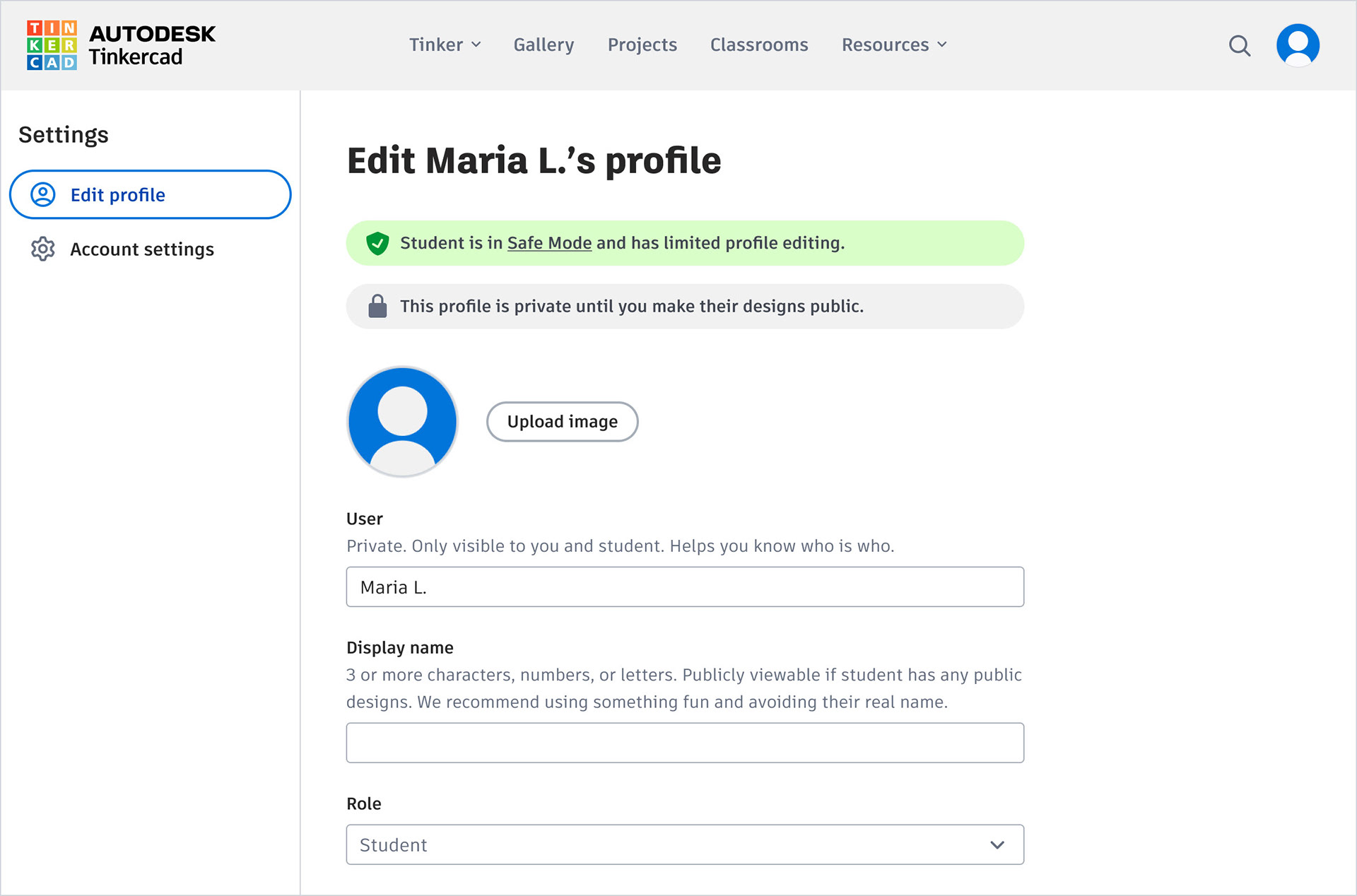
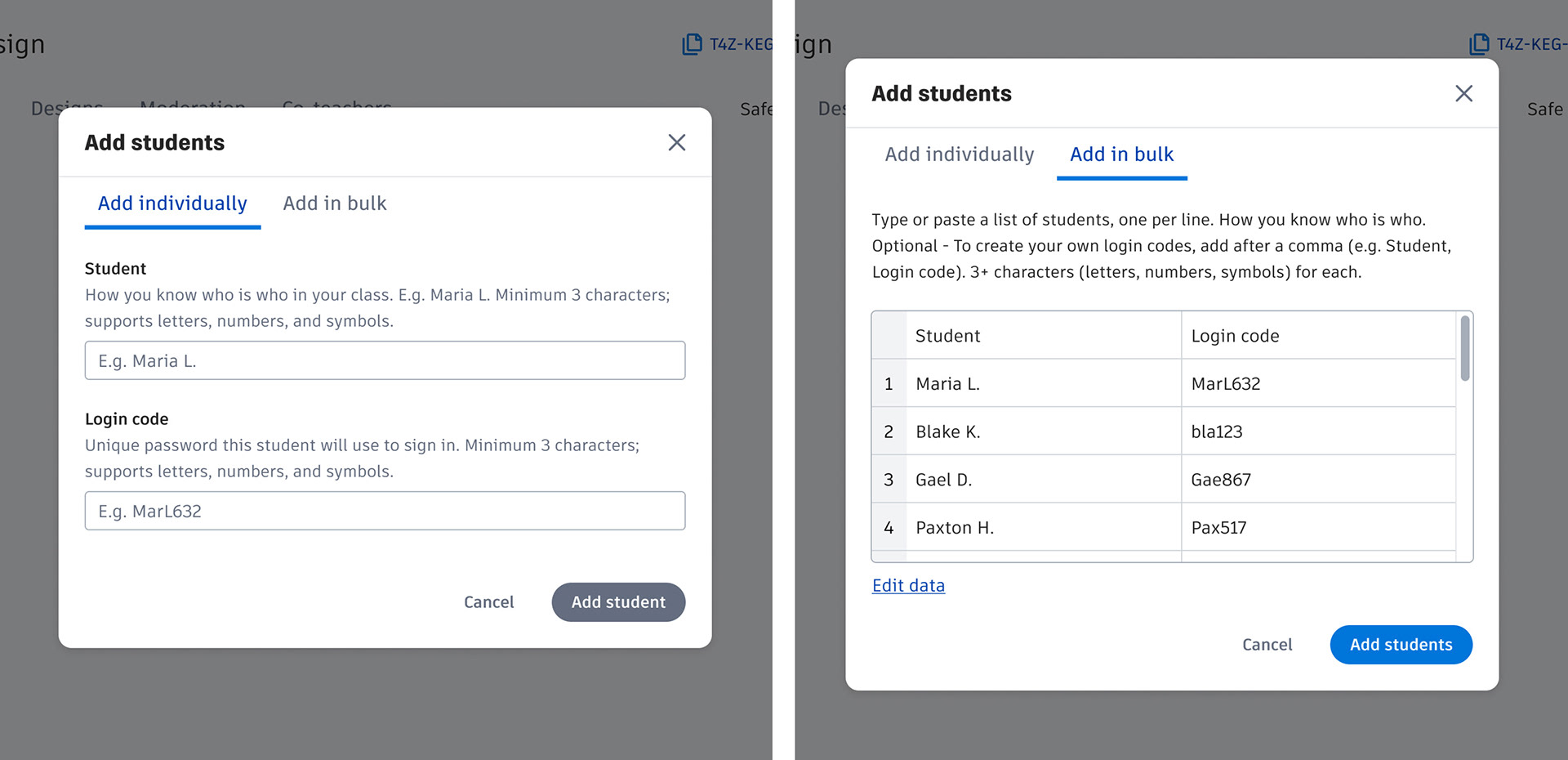
• Improved how student identities are handled by making naming rules clearer and safer, while supporting district privacy requirements.
• Introduced more flexible onboarding paths so teachers can add and manage students in ways that match their existing classroom workflows.
Separate private names and public display names add flexibility for teachers, and new profile banners add clarity around visibility states.
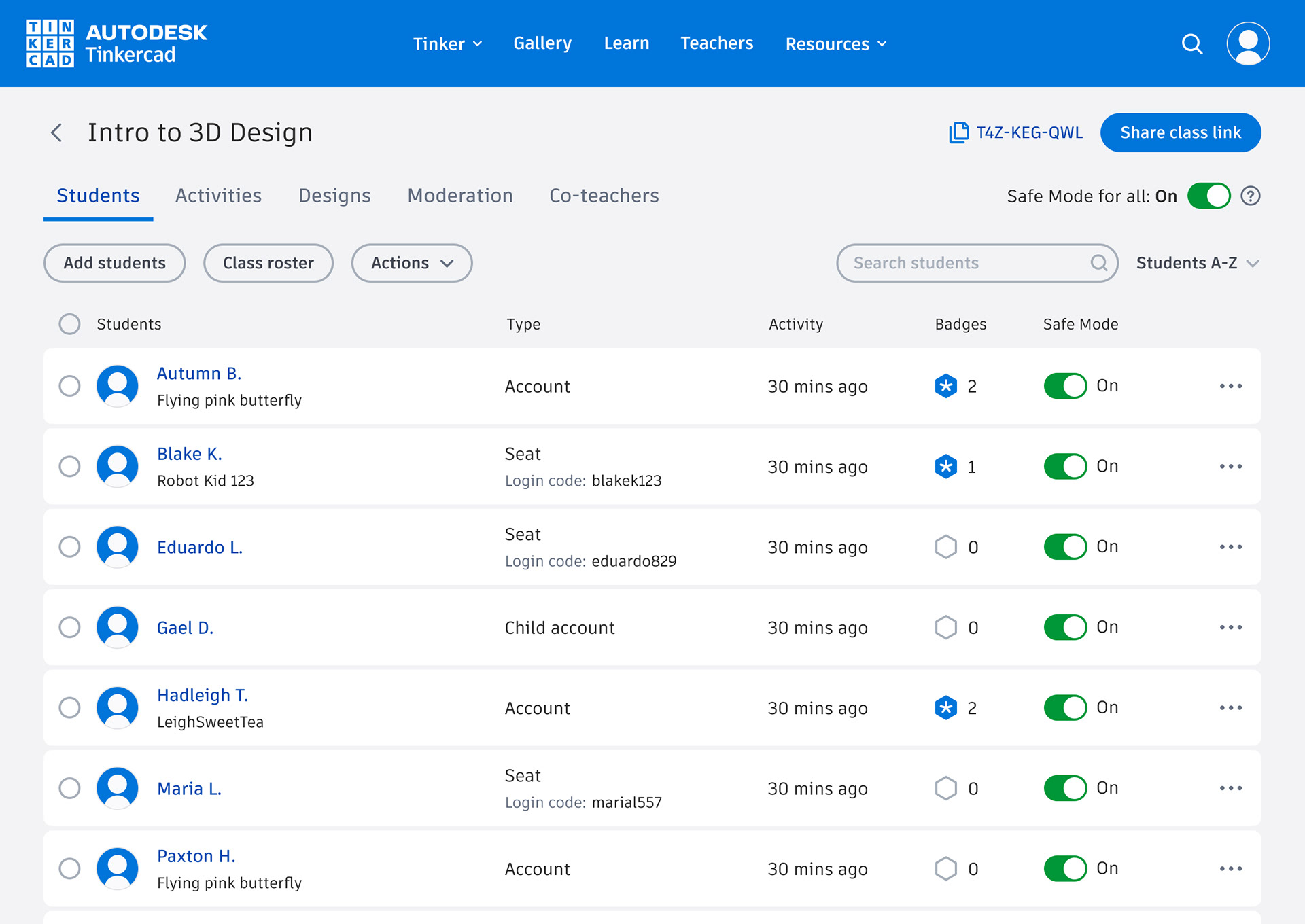
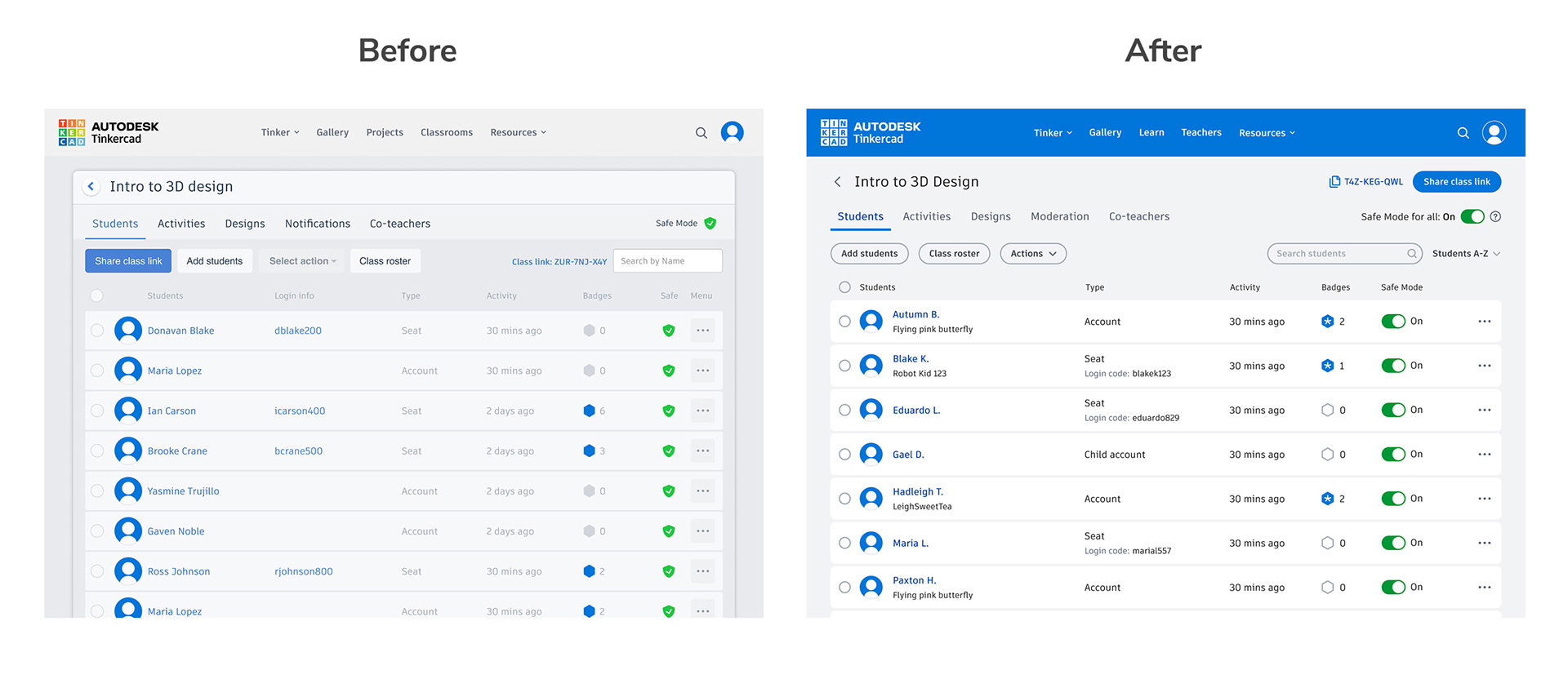
Displays both student names with clear toggles for safe mode status.
Teacher review & student work
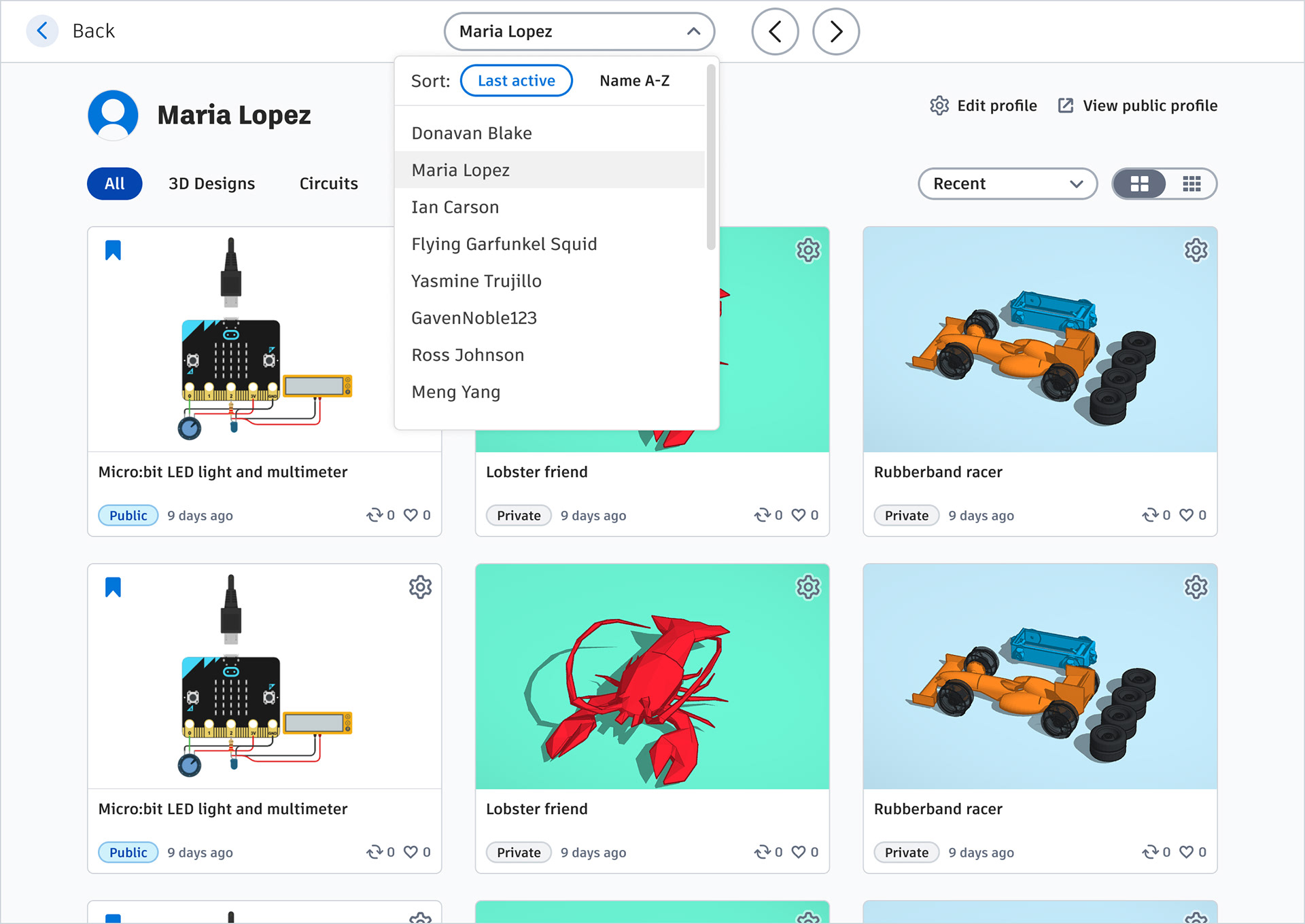
• Added class-wide views and controls so that teachers can have a bird’s eye view of all student activity across different workspaces.
• New student profile view where teachers can and easily access student work and move quickly between students without opening multiple tabs.
• Improved classroom design review flows to better support how teachers assess work and prepare designs for 3D printing.
New student view that allows teachers to quickly navigate between students, access student profiles, and review work.
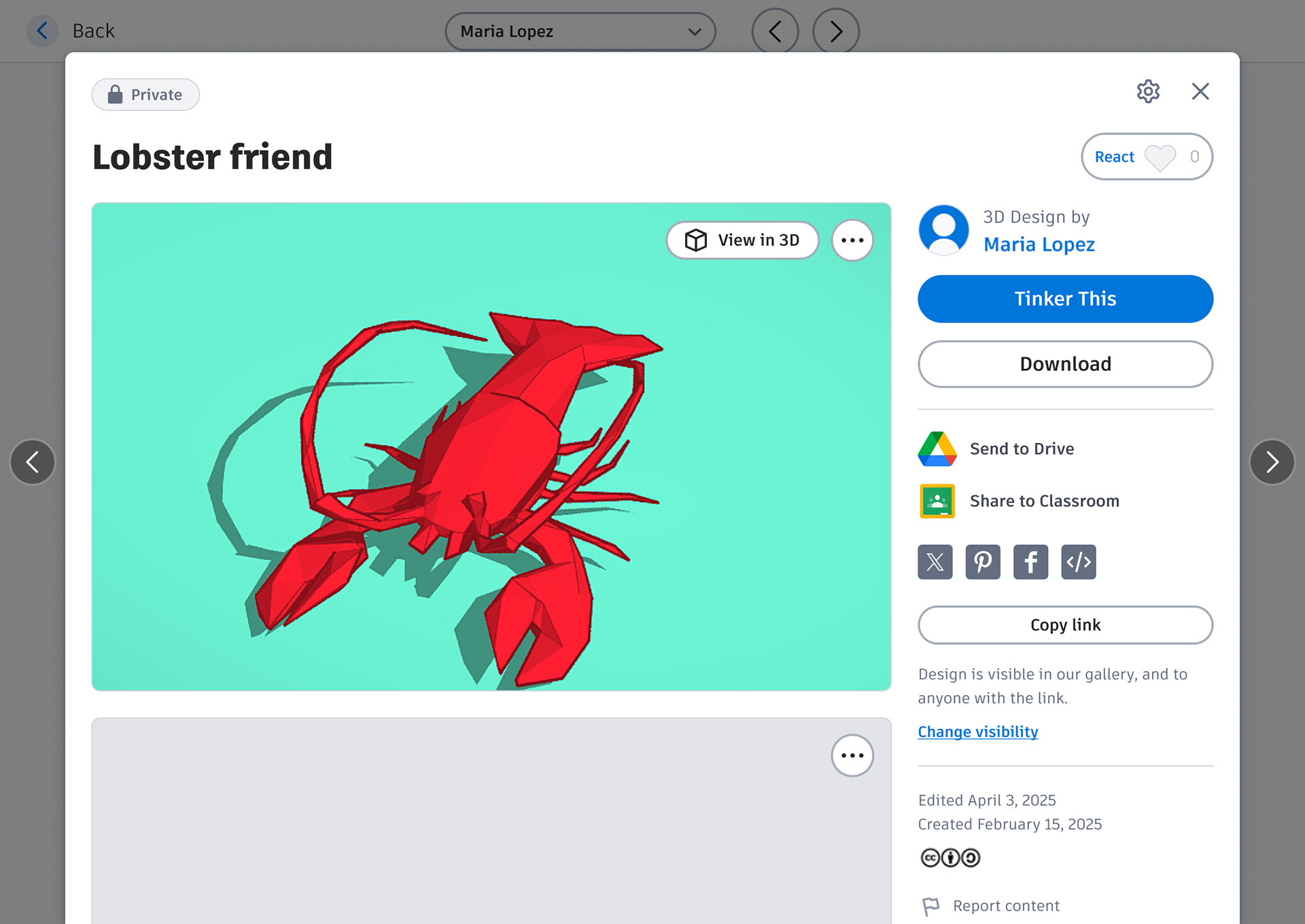
Left and right arrows allow teachers to quickly navigate from one design detail page to the next, speeding up the review process.
Accessibility & inclusive use
I designed the new classroom workflows to be usable by a wide range of educators, considering accessibility needs from the start.
• Created responsive layouts that scale effectively across common classroom devices, including Chromebooks, laptops, and shared screens
• Improved color contrast and legibility of text and UI controls.
• Reduced cognitive load through clearer interactions and consistent patterns.
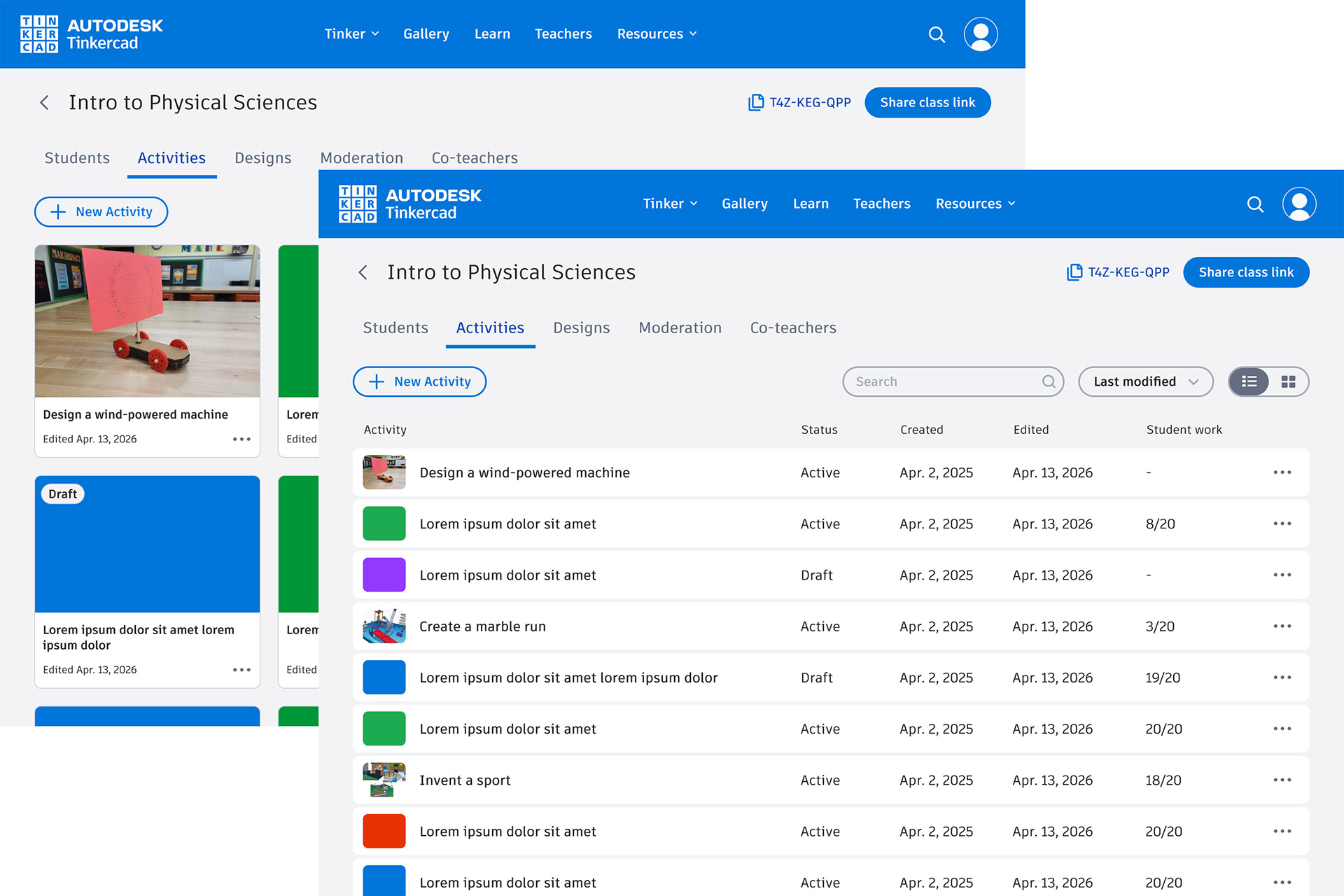
Updated text and UI control colors for better contrast and legibility.
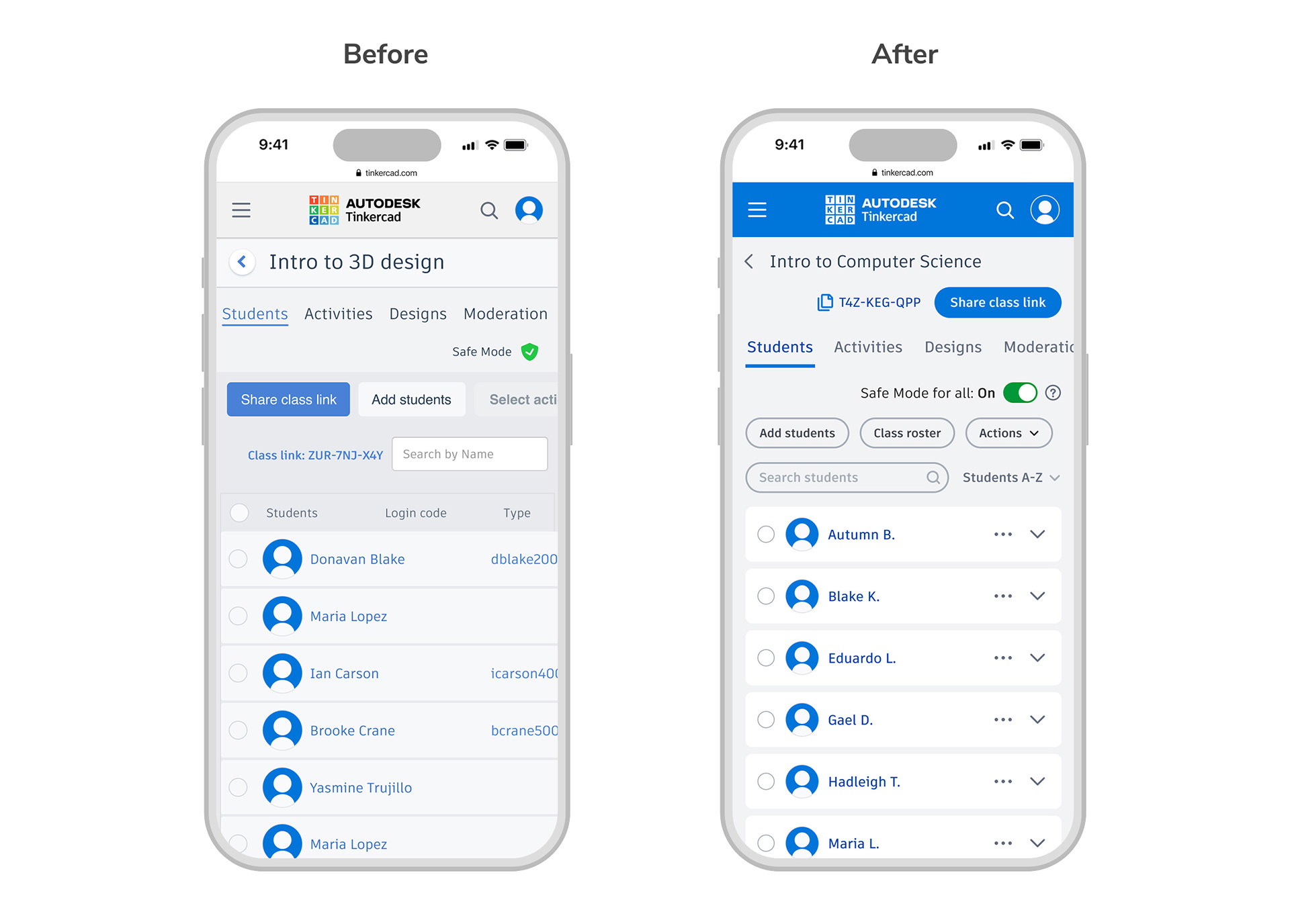
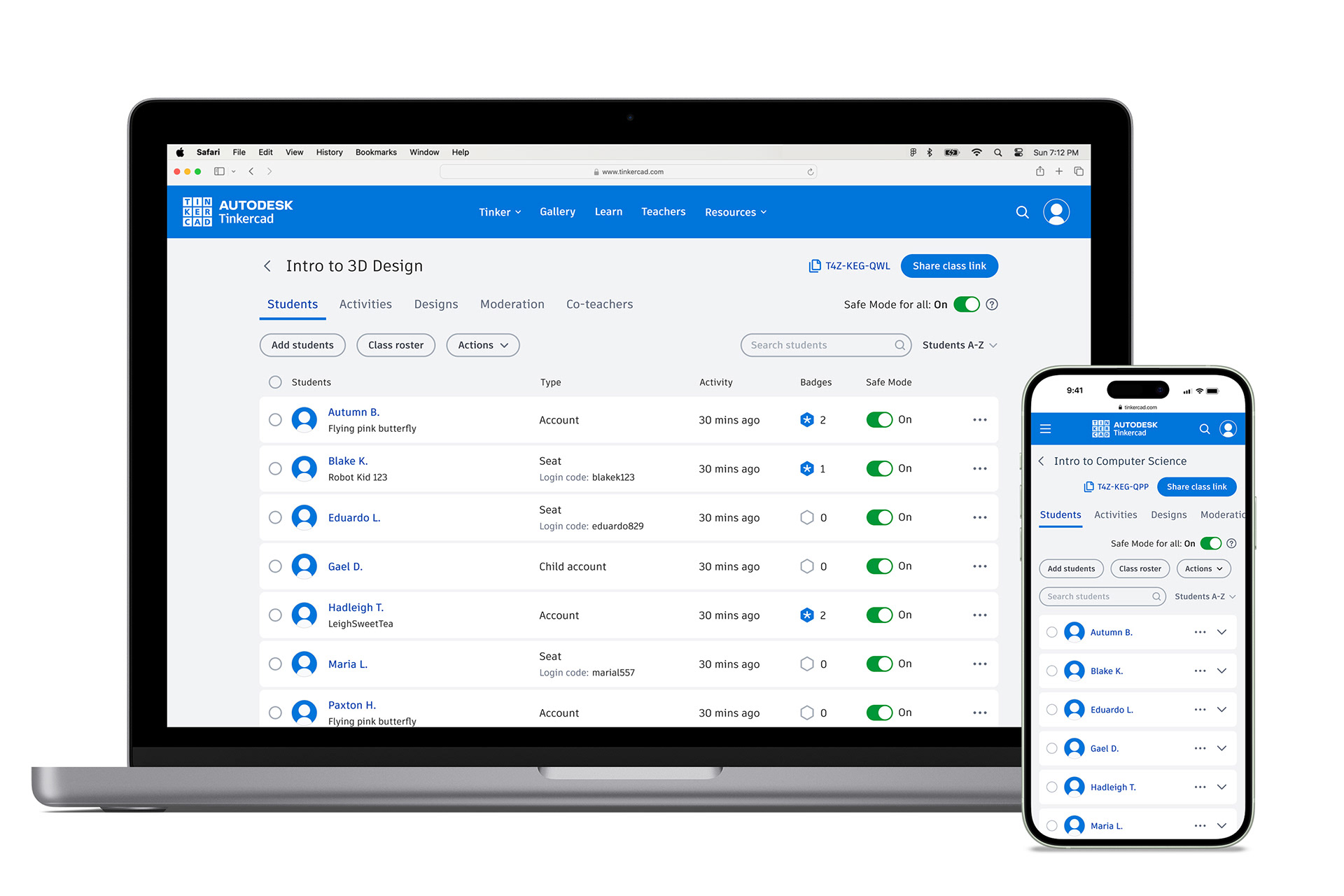
Improved the responsive scaling so that teachers can use on smaller devices.
Measuring success
This work contributed to measurable business outcomes by strengthening the foundation for teacher adoption and long-term platform growth. Improvements to core classroom workflows helped reduce friction and build trust with educators, contributing to a 7 point increase in teacher NPS and indicating improved satisfaction and confidence in the product. We also saw a 37% YoY increase in registered teachers, supporting continued expansion of Tinkercad’s educator community.
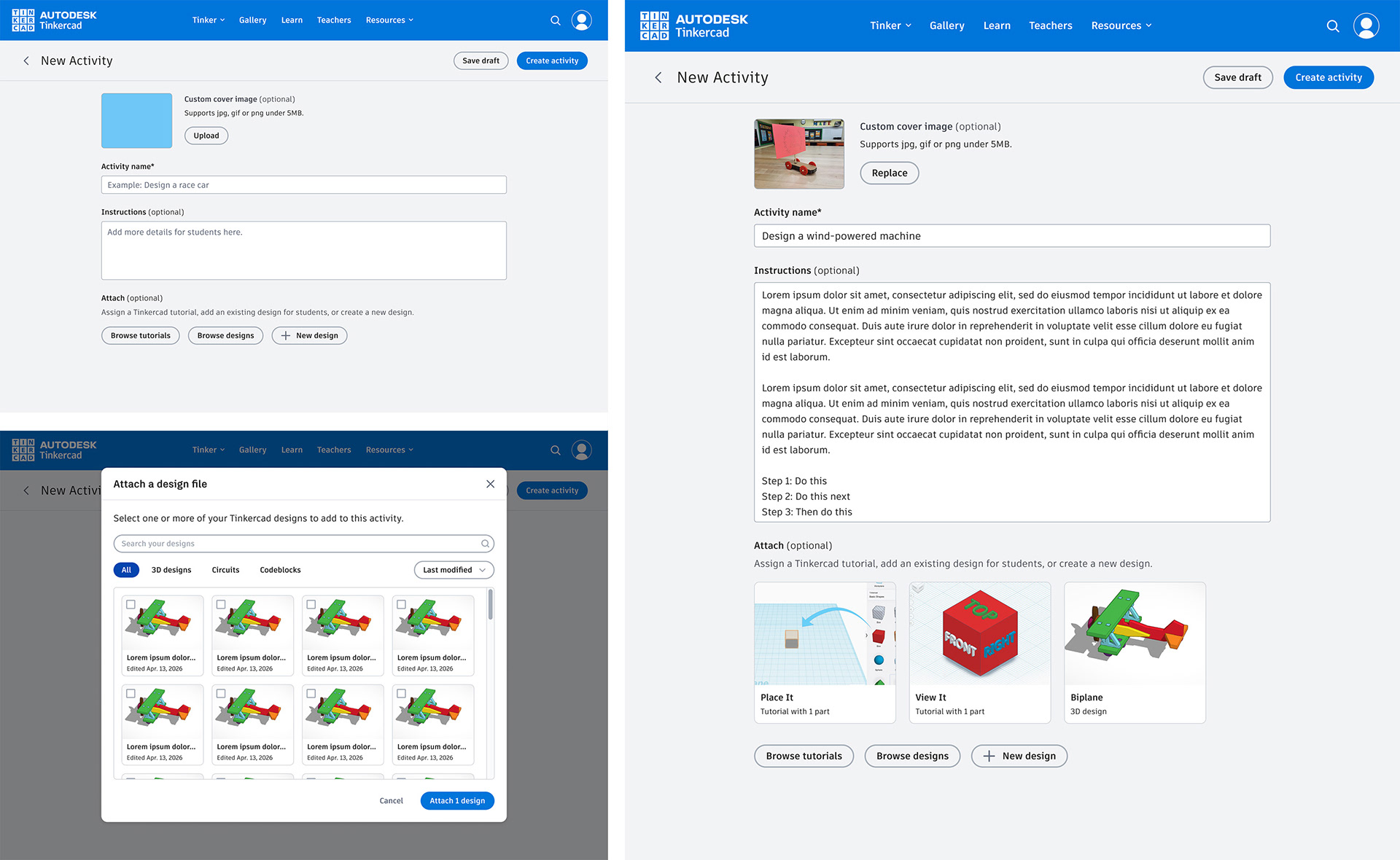
Beyond these metrics, the work established a more scalable baseline for future classroom features, enabling the platform to evolve without increasing complexity for teachers.
Unlocking the next phase
By establishing a more flexible foundation for classroom setup and student management, this work enabled a deeper focus on how teachers plan and guide learning within Tinkercad. The next phase centers on evolving Activities into a more integral part of the classroom experience, supporting instructional goals while reducing reliance on external tools. Reflecting on this work reinforced the importance of designing systems that adapt to real classroom variability without adding complexity for teachers.